RangeConverter GTO Poker Trainer was created to help you easily level up your poker skills and become a well-rounded, solid player at any game type. The Trainer deals you a spot and grades your decision against the solver. The latest version rebuilds the whole training loop around progress you can see: structured courses, a queue that learns your mistakes and re-deals the trouble spots until the leaks in your game are eliminated.
This guide walks through every part of the trainer and applies to every sim in your lobby: NLHE cash, tournaments, heads-up, Short Deck, PLO4, PLO5 and PLO6.
Starting a session
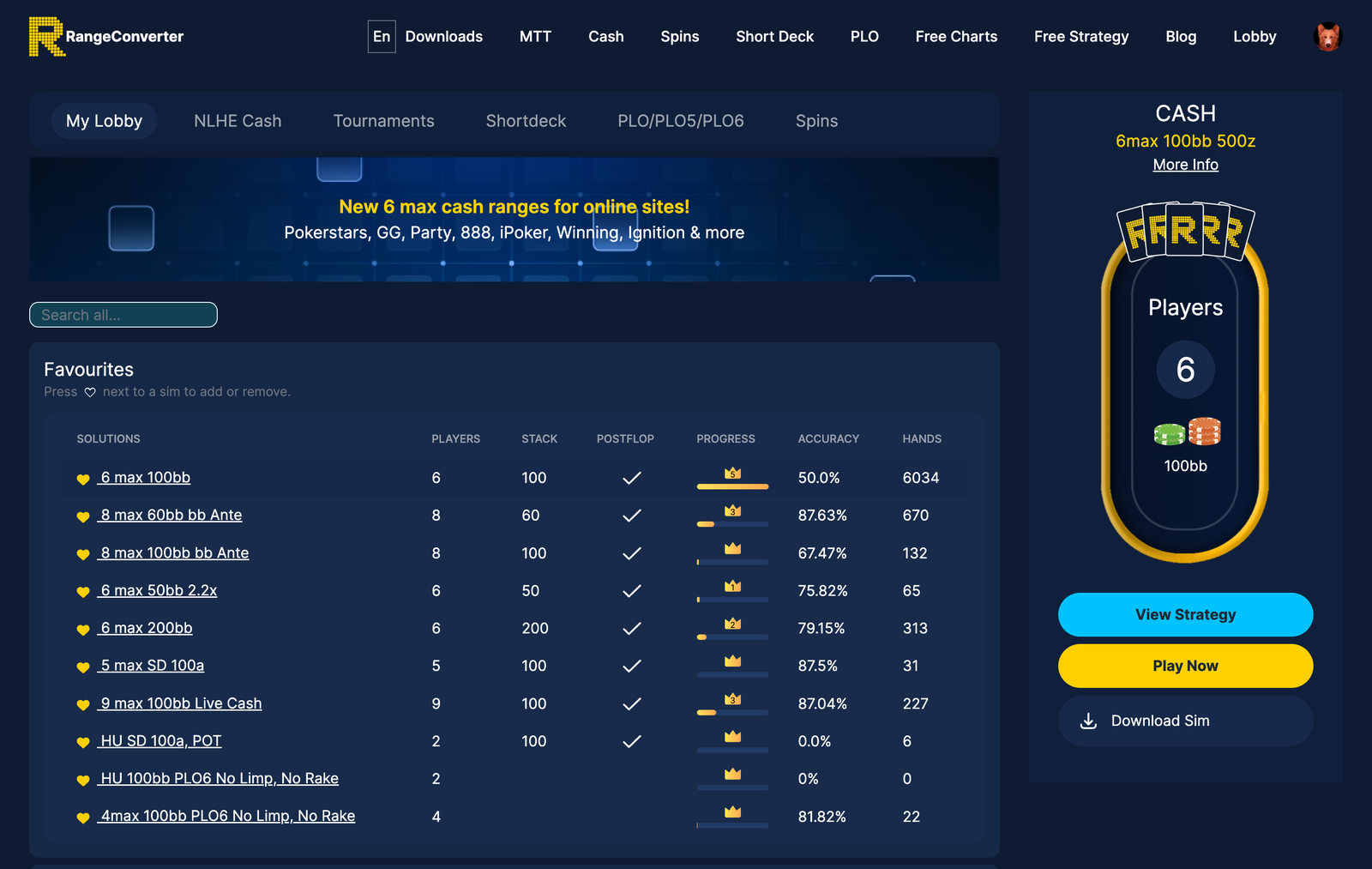
Open My Lobby and pick a sim. The tabs along the top split the library by game: NLHE Cash, Tournaments, Shortdeck, PLO/PLO5/PLO6 and Spins, with a search box if you already know what you are after. Favourites keeps the sims you train most at the top, with your accuracy and hands played next to each one; press the heart next to any sim to add or remove it.
Click a solution and the panel on the right shows the table format with three buttons: View Strategy opens the sim in the Viewer, Download Sim grabs it for offline use, and Play Now opens the Trainer ready to deal.
The header row

Left to right across the top of the Trainer: the three side-panel tabs (Hand History, Progress, Reports), a list icon that hides or shows that whole panel, the name of the sim you are playing, and the 1 / 2 / 4 buttons that set how many tables you play at once.

The right side keeps score for the session: points, current streak, best streak and accuracy, which turns green when you are running hot. Milestones get called out as you pass them, a little "Streak 10" or "New best" floating off the counter. Summary opens the full session breakdown, covered further down. The menu button on the far right holds the options menu.
Reading the table
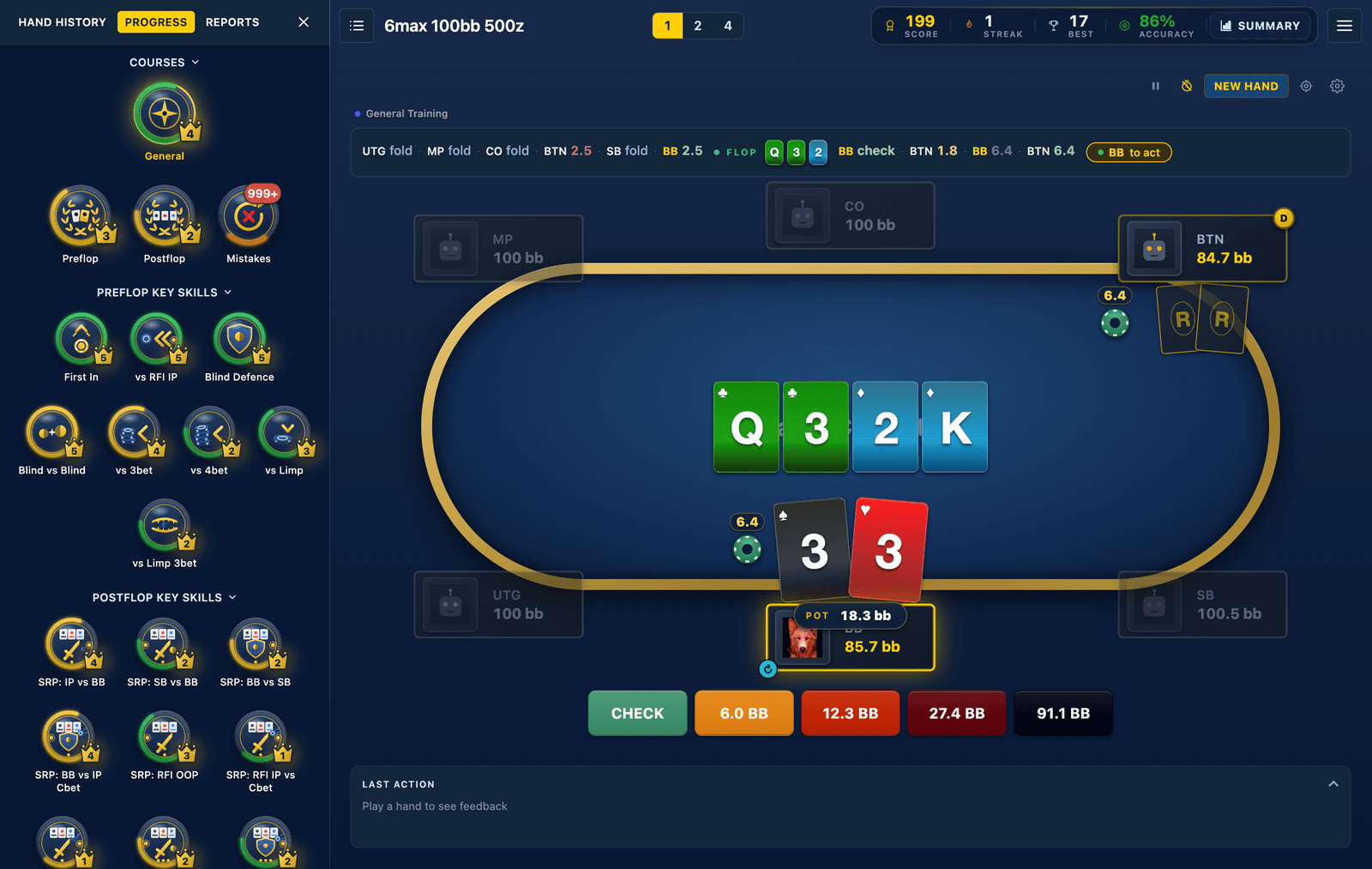
The table itself reads like any online client: stacks and positions on the plates, the dealer button, bet chips with amounts, the board and pot in the middle, your cards at the bottom. A gold highlight marks whose turn it is, and the small rotate icon by your seat means the Trainer is dealing you a fresh position each hand (more on pinning a seat later).

Two lines above the table carry the context. The coach line names what you are training and, when the queue has picked the spot for a reason, says so: "Weak area", "Reviewing a past mistake", "Fixing a blunder". Below it, the action path spells out how the hand got here, every fold, call and raise, street by street, with the board cards inline and a chip marking who is to act.
The action buttons

The decision buttons' colours carry information: checks and calls are green, bets climb from orange through red to near-black as the sizing grows, and fold is blue. Sizes show in big blinds, or as a percentage of pot, depending on the settings in the viewer.
The keyboard is quicker than the mouse once you are in a rhythm:
• F folds, C checks or calls, A shoves all-in
- • Space or N deals the next hand
- • 1, 2, 4 switch the table count
The table controls

Each table carries its own control strip, top right of the felt:
• Sit out (the pause icon) holds the dealer on that table while you look something up, and sits you back in on a second click.
- • Timer (the clock) puts you on a shot clock per decision, with a countdown ring that drains from blue through amber to red. Run it out and the hand moves on, with timed-out hands tracked in your session summary. It is off by default; the slash through the clock means disabled.
- • New Hand skips the current spot. No grade, no penalty, just a fresh deal.
- • Create drill (the crosshair) builds a repeating drill from any spot in the tree, covered below.
- • Table settings (the gear) opens the per-table setup: pathway, course, seat and hand filter.

With the timer on, the countdown ring sits beside your buttons and drains as the clock runs down, blue while you have time, red when you do not.
Feedback on every decision

The Last Action panel under the buttons grades each decision the moment you make it. Three verdicts cover everything:
• Correct. You picked a line the solver plays.
-
- • Mix. A real line, but not the one you should lean on. The panel shows how far off frequency you were.
- • Blunder. A line the solver never plays.
Next to the verdict, the Solver Mix bars show the full strategy for your exact hand and for the whole range, so you can see at a glance whether your pick was a reasonable mix or a pure action you missed. The EV by Action table ranks every available line and prices the gap: in the shot above, folding AT offsuit in the CO gave up a raise worth +0.14bb, and the panel says so in plain terms. You chose Fold, the solver plays it 0% here.
The header of the card names the table, your hand and the spot, and the chevron collapses it to a single verdict line if you would rather keep the felt clean.
Easy, Normal and RNG: pick how you are graded
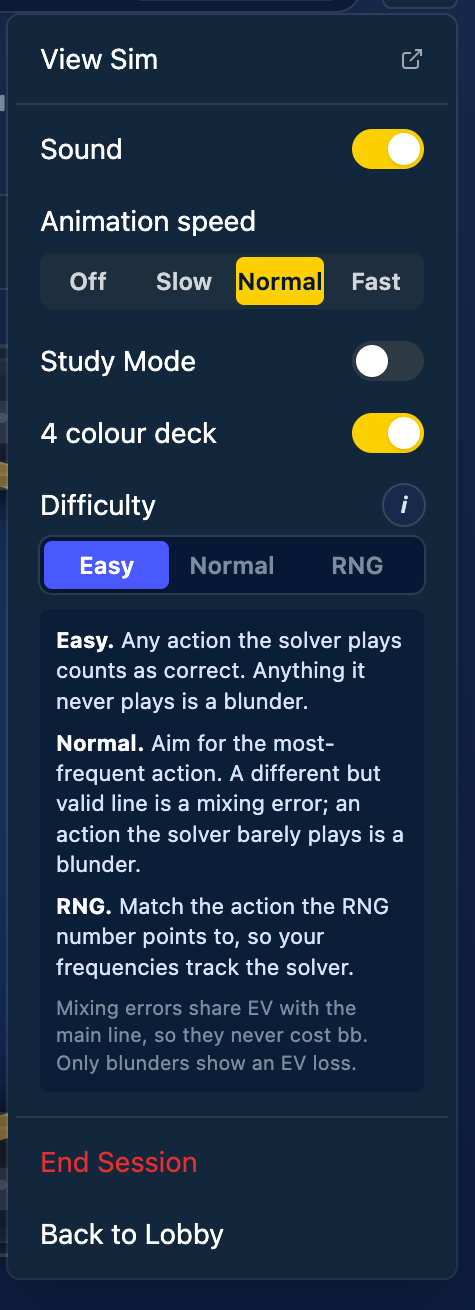
The Trainer has three grading modes, switchable mid-session from the Difficulty selector in the options menu:
Easy counts any action the solver plays as correct. Anything it never plays is a blunder. Right when you are new to a format and want to learn the shape of ranges without sweating frequencies.
Normal grades you against the solver's most-played action. A different but valid line counts as a mixing error rather than a blunder. This is where most players should live.
RNG deals a number from 1 to 100 alongside each spot, and your job is to pick the action whose frequency band the number lands in. It trains your actual mixing frequencies rather than your first instinct.
One detail worth knowing: mixing errors share EV with the main line, so they never cost bb in your stats. Only blunders show an EV loss.
The little i button next to Difficulty opens this exact explanation in the menu whenever you need it.
The options menu, top to bottom
The rest of the menu:
• View Sim opens the full solution in the Range Viewer in a new tab, for when a spot deserves a deep dive. The Online Range Viewer tutorial covers that side.
- • Sound toggles the chips, cards and milestone audio.
- • Animation speed runs from Off (instant results, no motion) through Slow and Normal to Fast.
- • Study Mode opens the full solver review for you after each hand, prices every action under its button, and shows a live pot odds readout while you are deciding: the price of the call and the equity you need to break even.
- • 4 colour deck colour-codes the suits so flushes never sneak up on you.
- • End Session closes out the session, with a confirm step so a stray click cannot wipe a good run.
- • Back to Lobby returns you to the sim list.
Courses and Key Skills
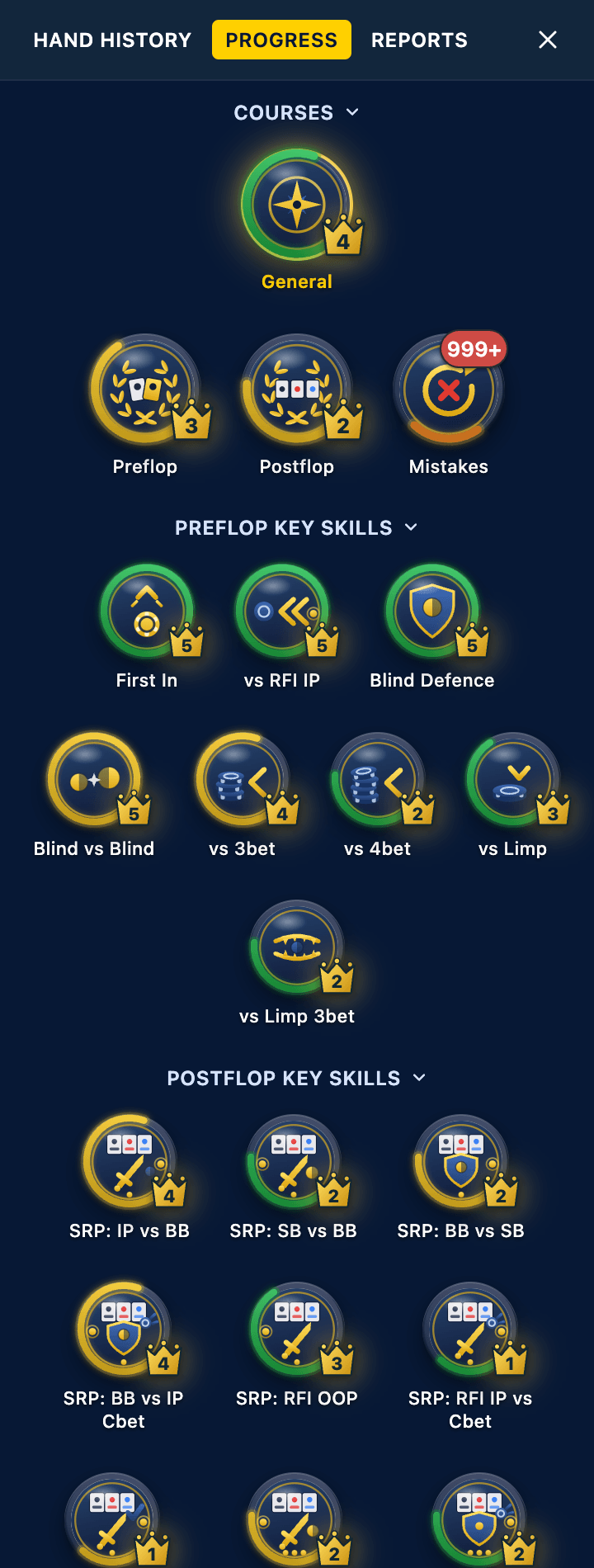
The Progress tab on the left is the spine of the new Trainer.
At the top sit the Courses. General is the one to click if you only ever click one thing: an endless queue across the whole sim that leans toward your weak areas and quietly weaves your past mistakes back in. The coach line tells you when it has done exactly that. Preflop and Postflop work through those halves of the game, and Mistakes gets its own section below.
Under the courses, the sim's Key Skills are laid out as individual badges: First In, vs RFI IP, Blind Defence, Blind vs Blind, vs 3bet, vs 4bet, vs Limp, then the postflop set (SRP: IP vs BB, SRP: RFI OOP, 3BP: IP and friends, depending on the sim). Click any badge and the dealer pulls spots from that skill alone.
Two things to read on every badge:
• Ring fill is milestone progress. Five levels, each marked with a crown, and the Trainer celebrates on the spot when you cross one.
- • Ring colour is accuracy: red, orange, yellow, green as your average score on that skill climbs.
Skills marked (free) are open to every account, subscription or not. When you play more than one table, a table picker appears at the top of this panel so each table can train its own thing.
The Mistakes queue
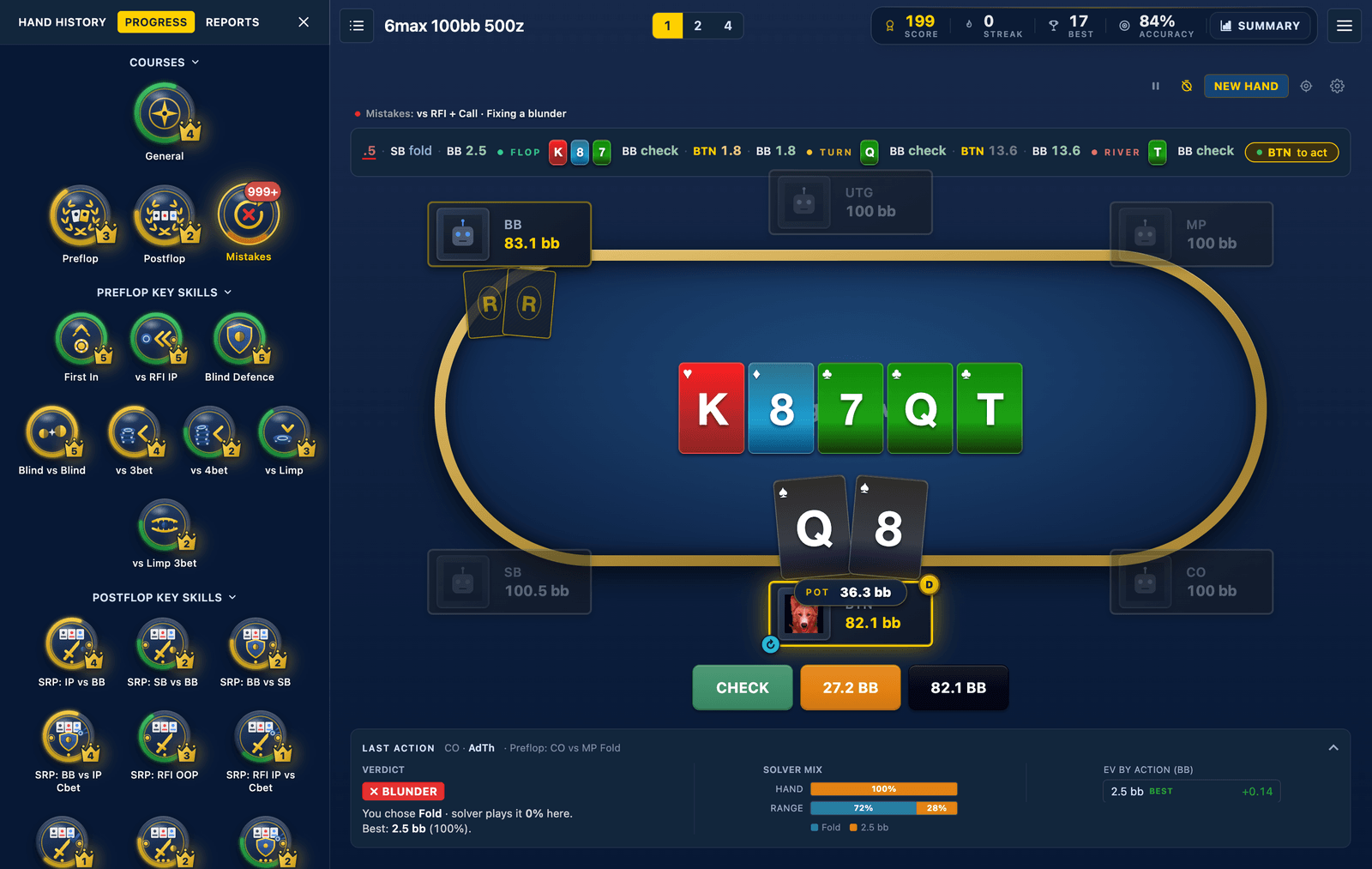
Every blunder you make goes into an inbox, and the Mistakes course deals them back to you on a spaced-repetition schedule. Fix a spot once and it returns later to check the fix held. Keep getting it right and the leak is marked mastered; slip again and it comes back sooner.
The badge wears the count of mistakes due now, and a green tick when you are caught up. While you replay them, the coach line keeps you oriented with lines like "Mistakes: vs RFI + Call, fixing a blunder". Clear the queue and the Trainer says so and hands the dealer back to General until there is new material to work on.
Hand history that shows where the chips went
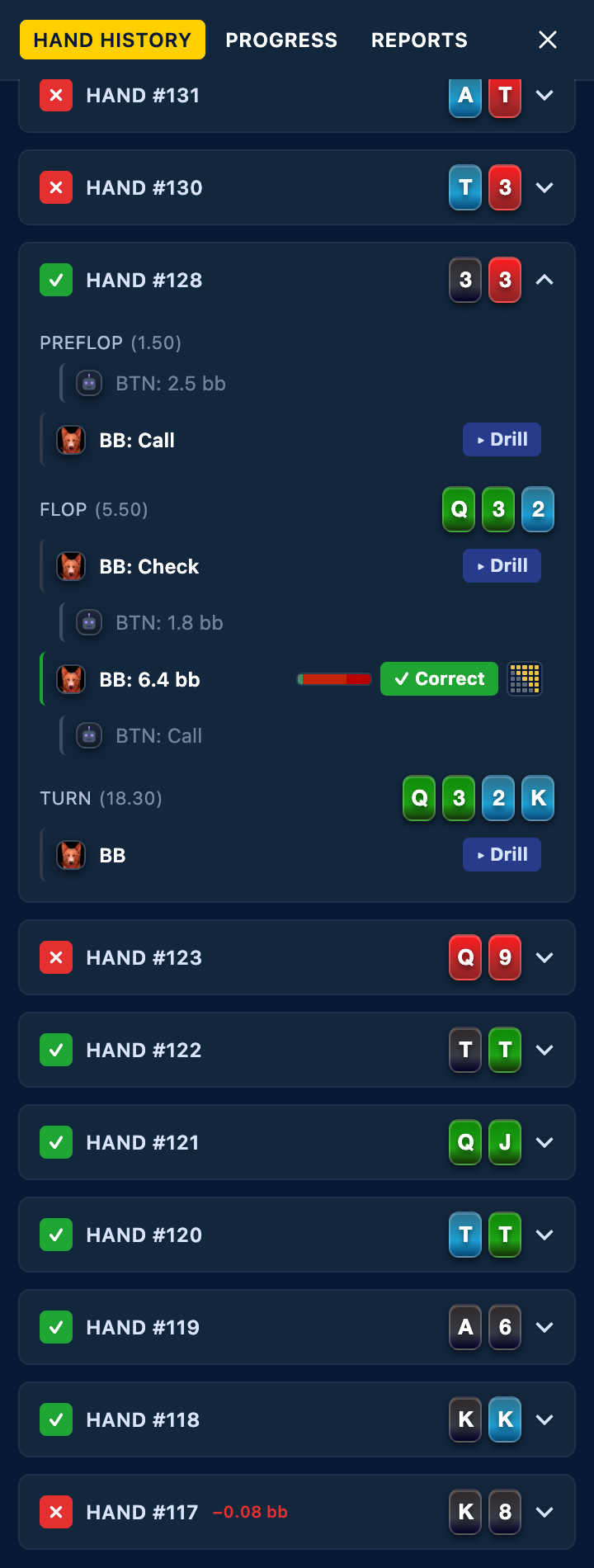
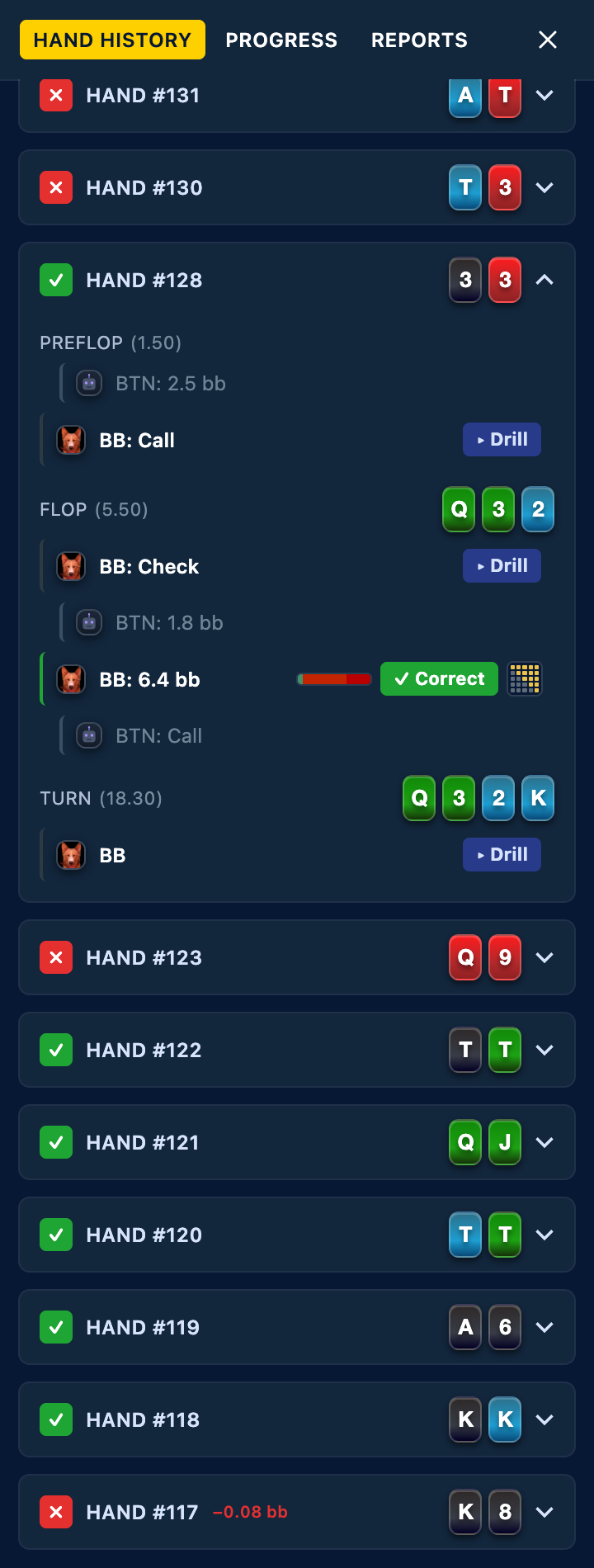
Every hand of the session stacks up in the Hand History tab. Each row carries the verdict icon, your hole cards, and the worst EV loss in the hand when there was one, so the expensive hands are visible from across the room.
Expand a hand and you get the street-by-street story: board and pot size per street, opponents' actions dimmed, your own decisions colour-coded by result with a small frequency bar showing the solver's mix at each node. Hands replayed from the Mistakes queue carry their leak-fixing progress here too: pips that fill as your streak on the spot grows, then "Leak fixed" when it sticks.
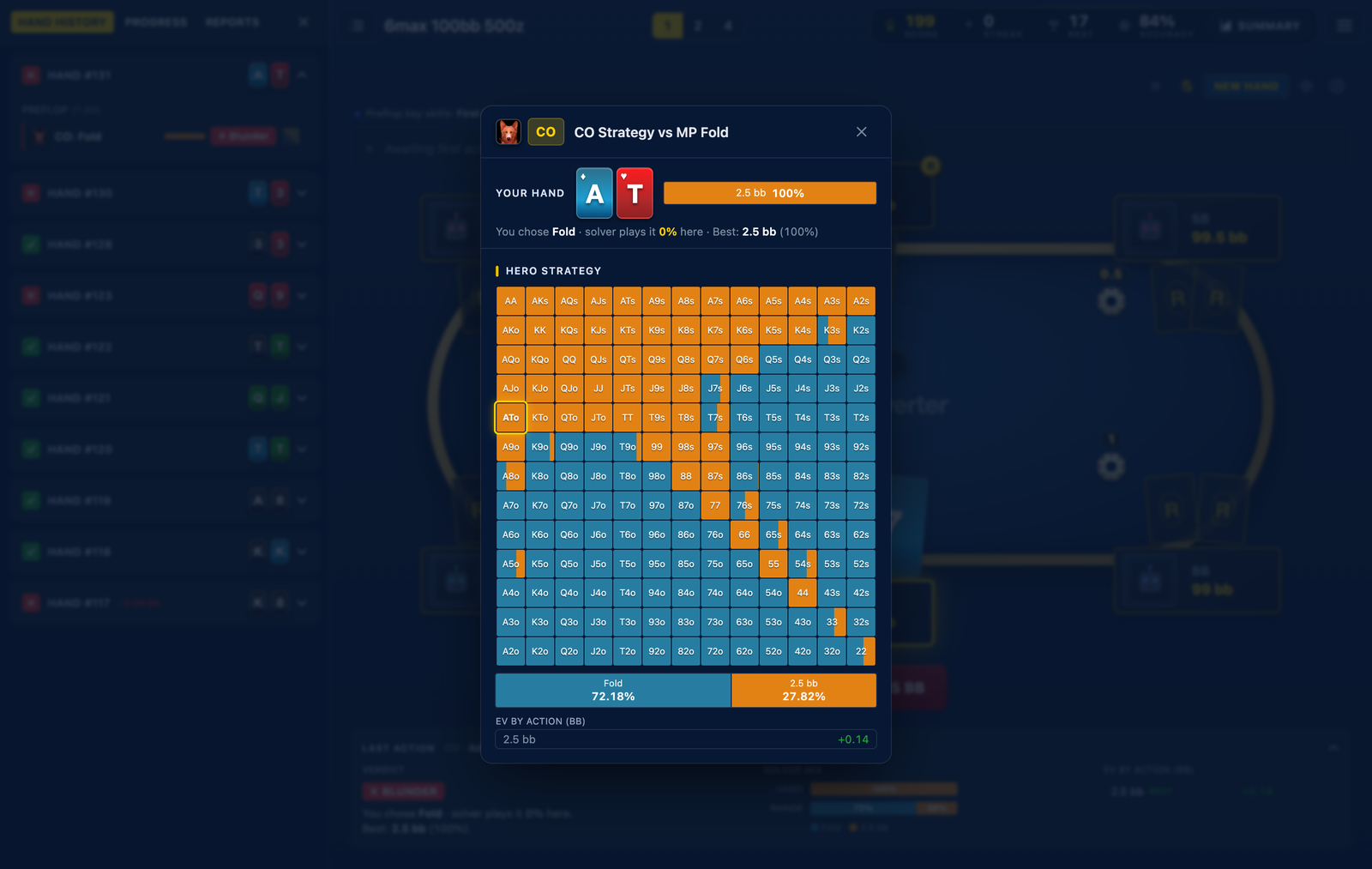
Click any of your decisions and the full strategy grid for that exact node opens: every hand in the range, every action, every frequency, with your holding highlighted and the verdict restated above the grid. It is the same picture you would build in the Viewer, one click from the hand that made you want to look.
Reports: your long-run numbers
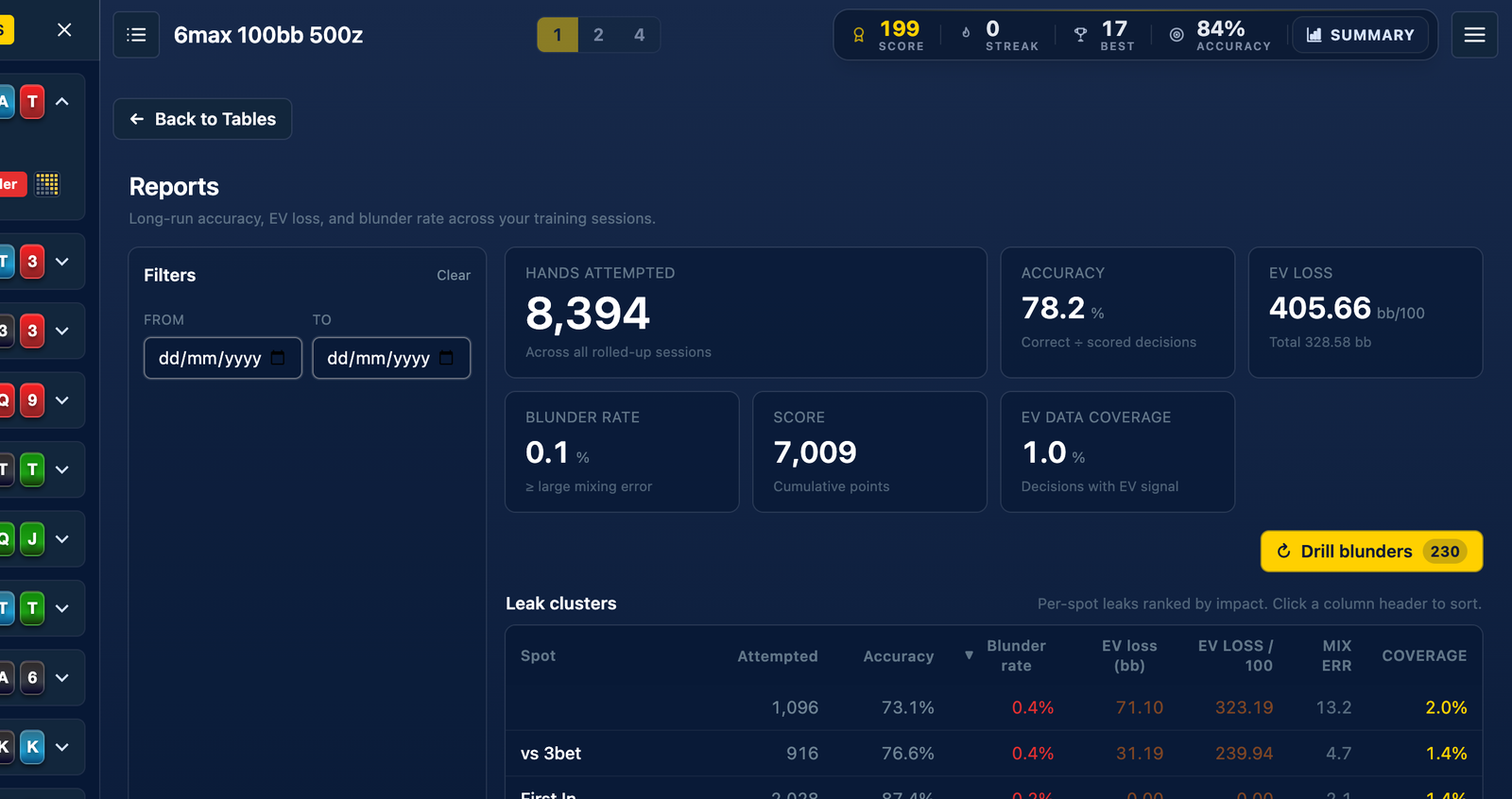
The Reports tab swaps the tables for your long-run record on the sim, with From and To date filters when you want to scope it. Six tiles across the top: hands attempted, accuracy, EV loss in bb per 100 (with the total alongside), blunder rate, cumulative score and EV data coverage, which tells you how much of the record has solver EV behind it.
The centrepiece is the Leak clusters table: every spot you have trained, ranked by what it is costing you. Click any column header to re-sort by attempts, accuracy, blunder rate, EV loss or mixing error; spots with thin samples carry a small sample tag so you do not over-react to ten hands of bad luck.
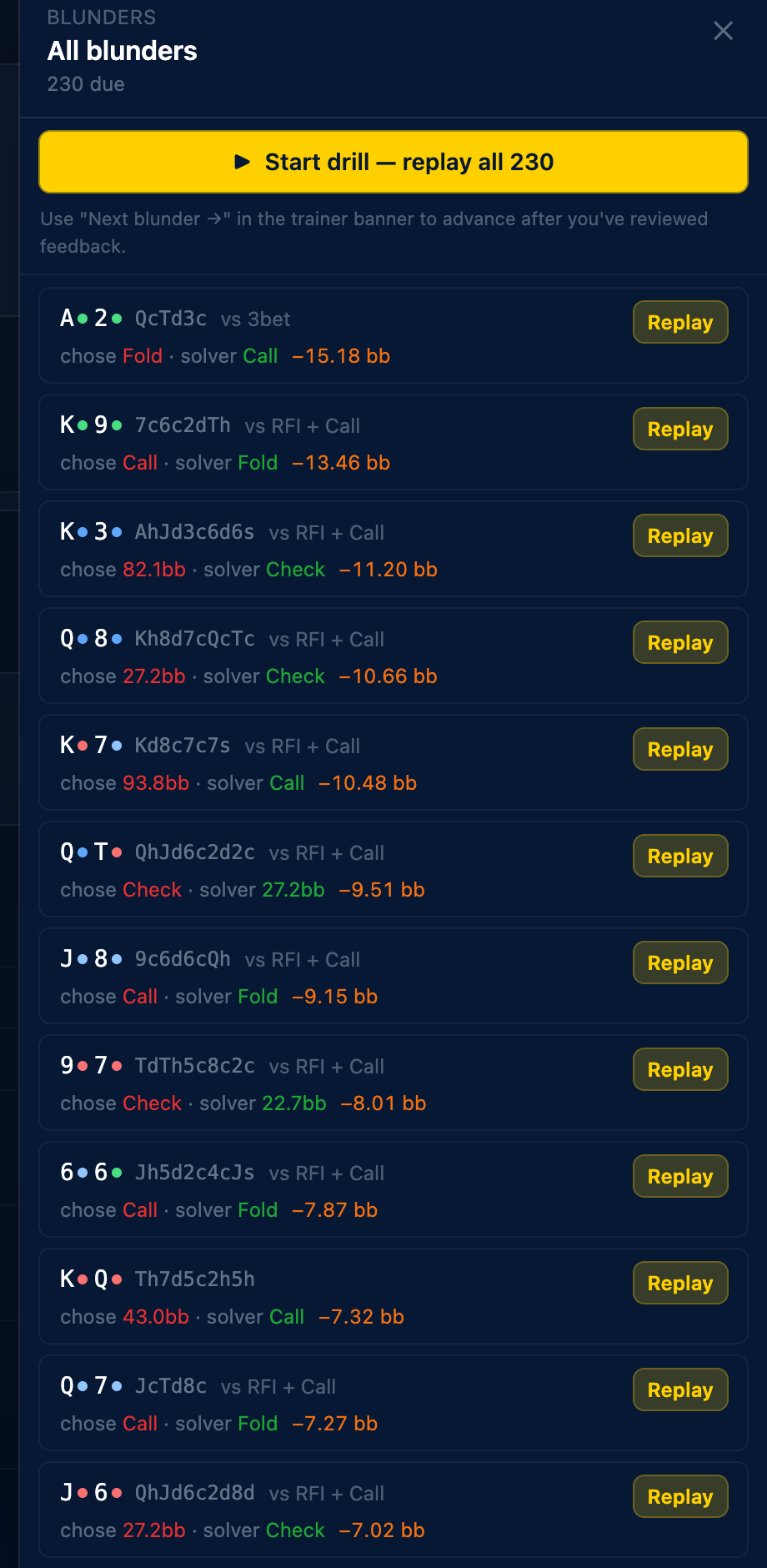
The yellow Drill blunders button shows how many mistakes are due across the whole sim, and clicking it (or any row in the table) opens the blunder drawer: each blunder with the hand, the board, what you chose against what the solver plays, and the EV it cost.

Start the drill and the Trainer re-deals those spots one after another, with a banner across the top counting them down: "229 of 230 blunders left", a Next blunder button to advance once you have reviewed the feedback, and Exit drill when you are done.
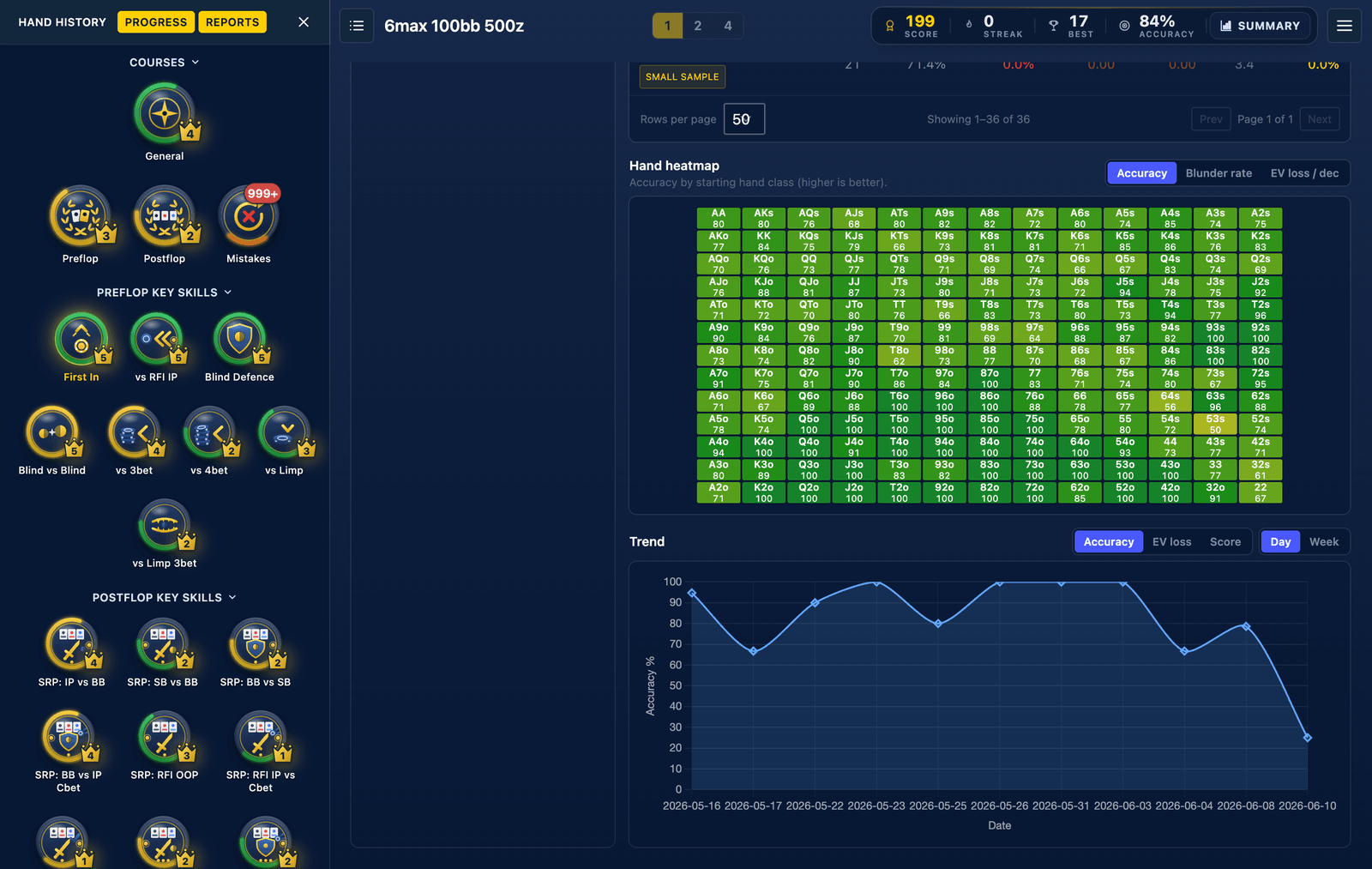
Below the table, the hand heatmap colours every starting hand by accuracy, blunder rate or EV loss per decision, so you can see at a glance whether it is the suited connectors or the offsuit broadways doing the bleeding. A trend chart at the bottom tracks accuracy, EV loss or score by day or week.
Drill any spot you like
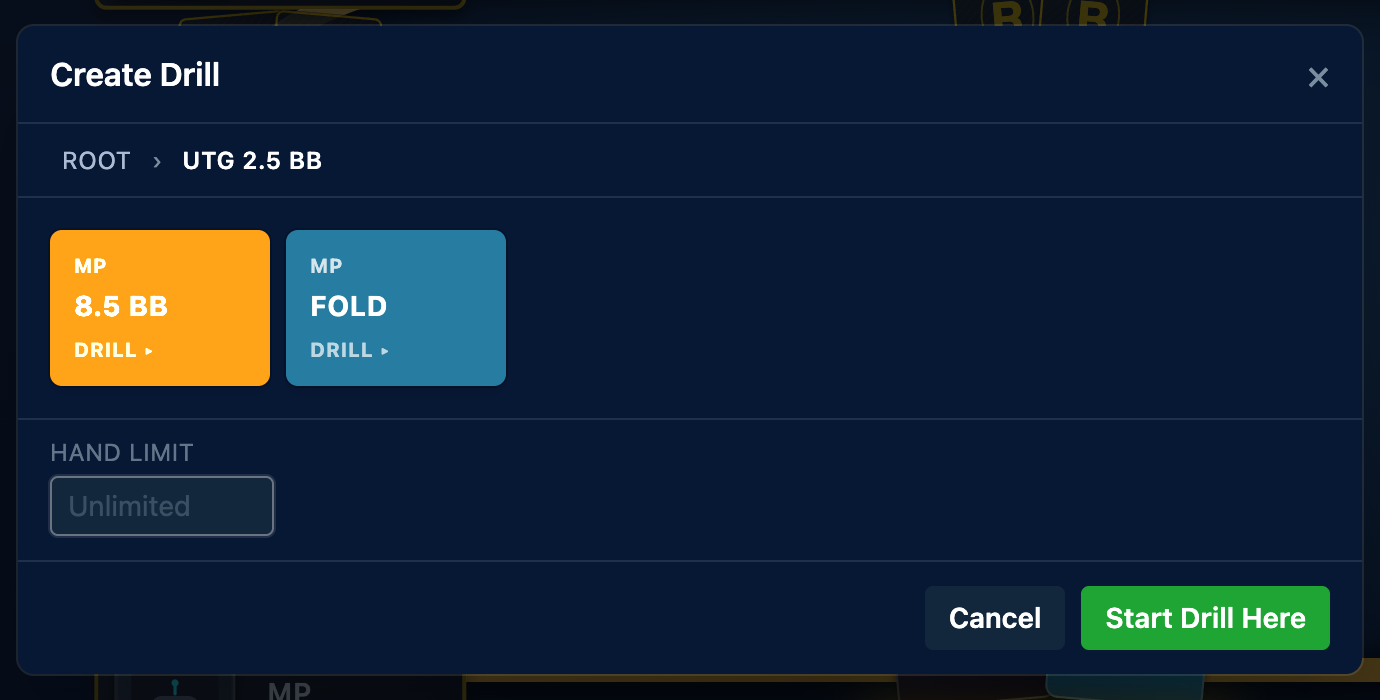
Create Drill, on the table control strip, walks the sim's action tree. Each node shows the position and action with a "drill" hint where the line continues; click through to the spot you care about, say UTG opens and it folds to you, and hit Start Drill Here. Set a hand limit or leave it unlimited.

While a drill runs, a banner above the table names it and counts the hands; Exit drill ends it whenever you are done. Each table can run its own drill, so two tables can grind two different spots side by side.
Table settings: pathway, course, seat and hand filter
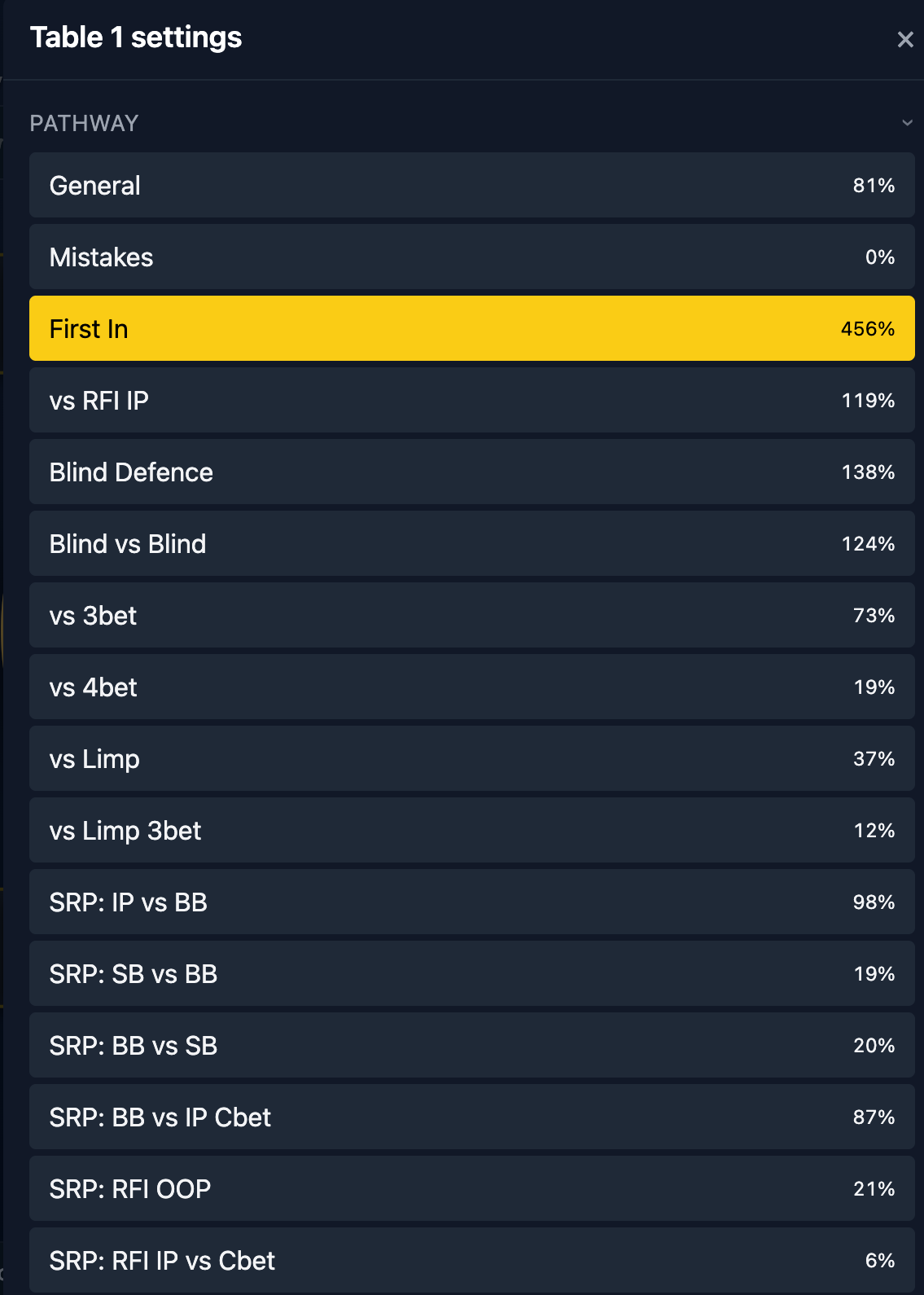
The gear on the table control strip opens that table's setup. The Pathway and Course pickers at the top do the same job as clicking badges in the Progress tab, with your completion percentage next to each entry.
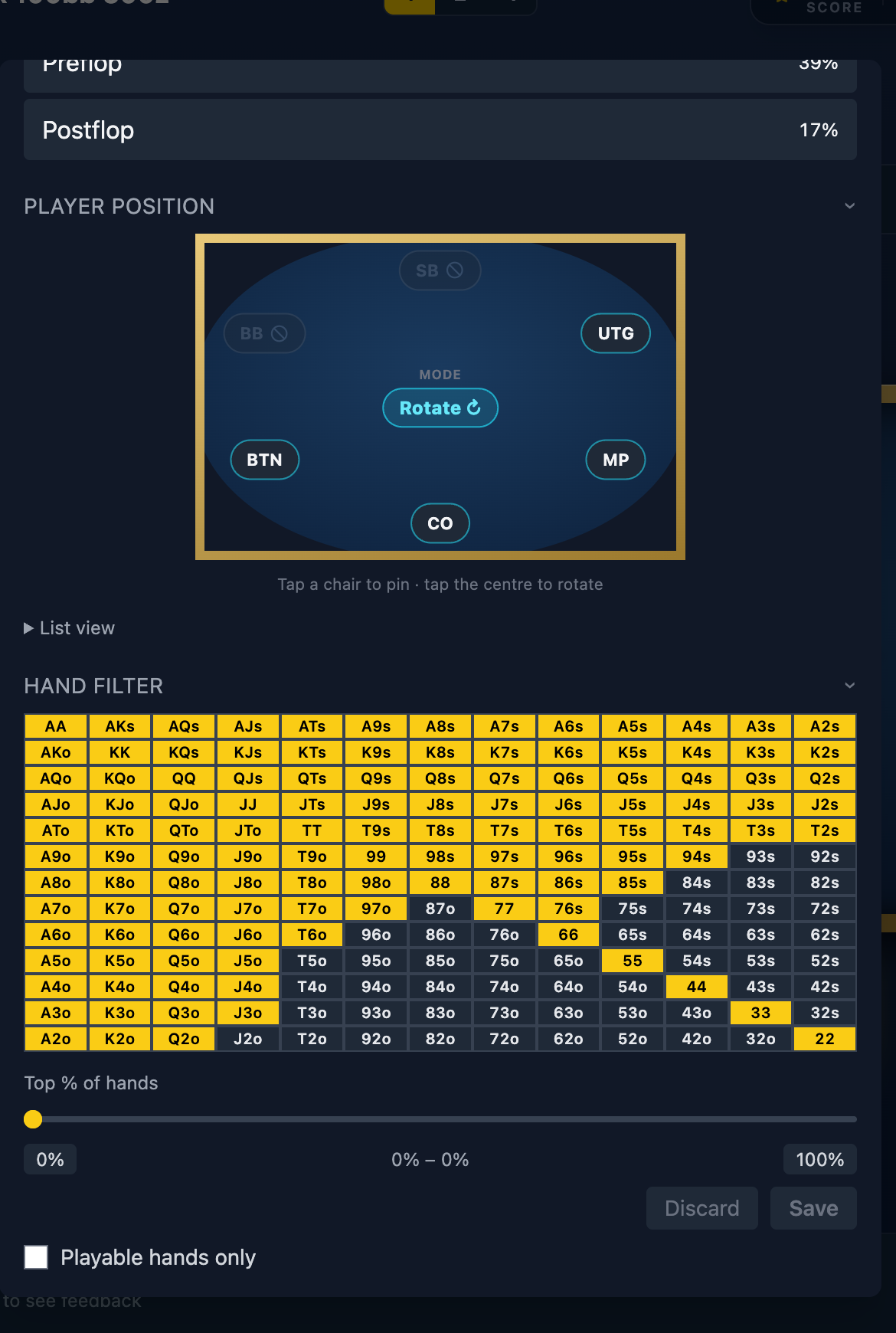
Player position. By default the Trainer rotates you through every seat that has spots to train, a fresh one each hand. Want to grind one position? Tap a chair on the seat ring to pin it, and every hand deals you there until you unpin; a list view does the same job if you prefer names to a diagram. Seats with nothing to train in the current sim are greyed out. Rotate is the right default: position is half the game, and the queue makes sure you do not only practise the comfortable seats.
Hand filter. The range grid below lets you train specific holdings only: click hands in or out, drag the top-% slider, or tick Playable hands only to skip the trivial folds. PLO sims swap the grid for suit and rank filters. Save applies it to that table; Discard backs out.
Play more tables
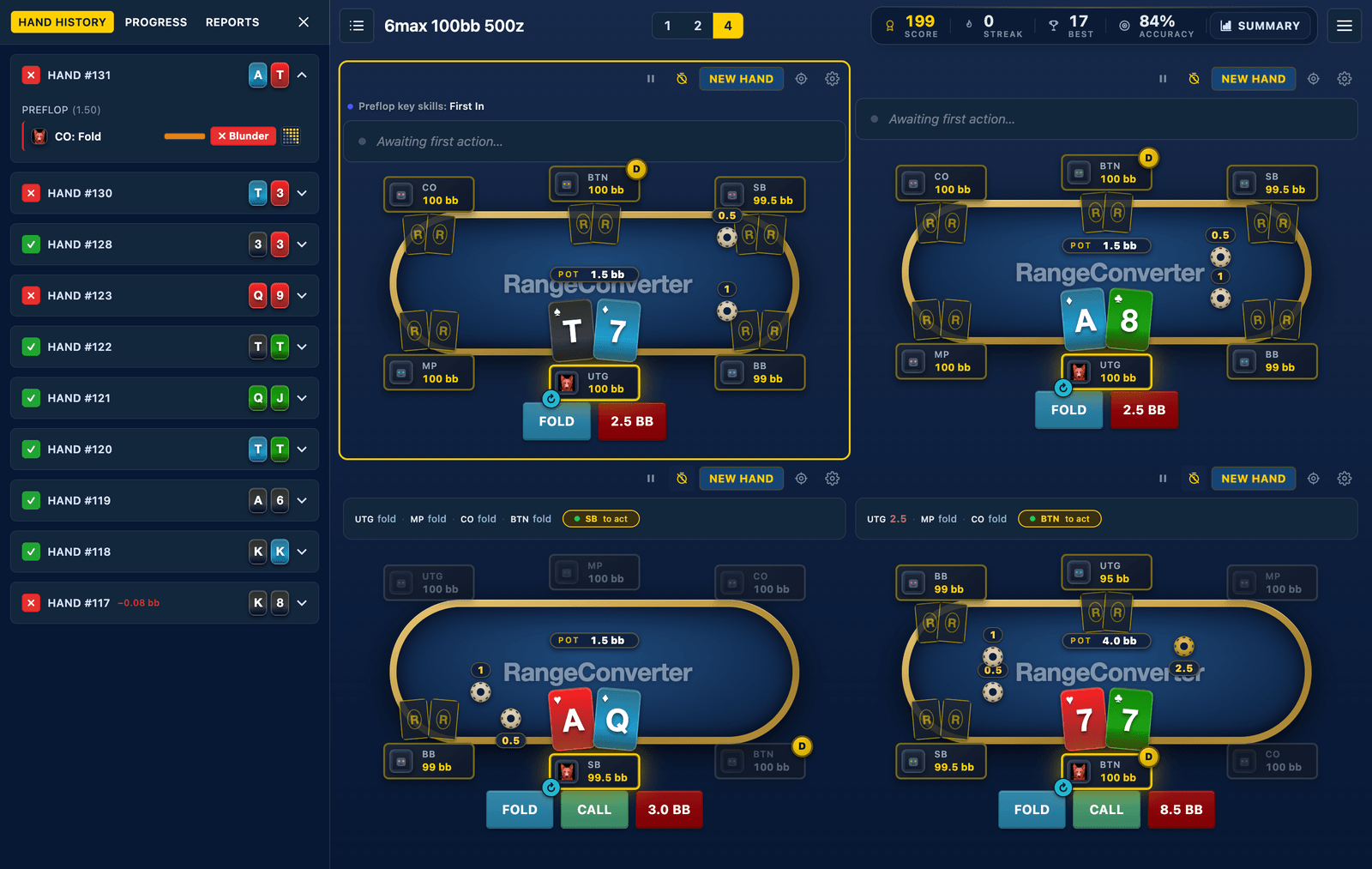
The 1 / 2 / 4 buttons in the header (or the same keys on your keyboard) set how many tables you play at once. Each table runs its own hand, its own controls and its own training focus, so table one can grind First In while table two clears your Mistakes queue.
Multi-tabling is the closest thing to real volume: decisions come at you the way they do in a session, not one at a time with all day to think.
My Session: the summary
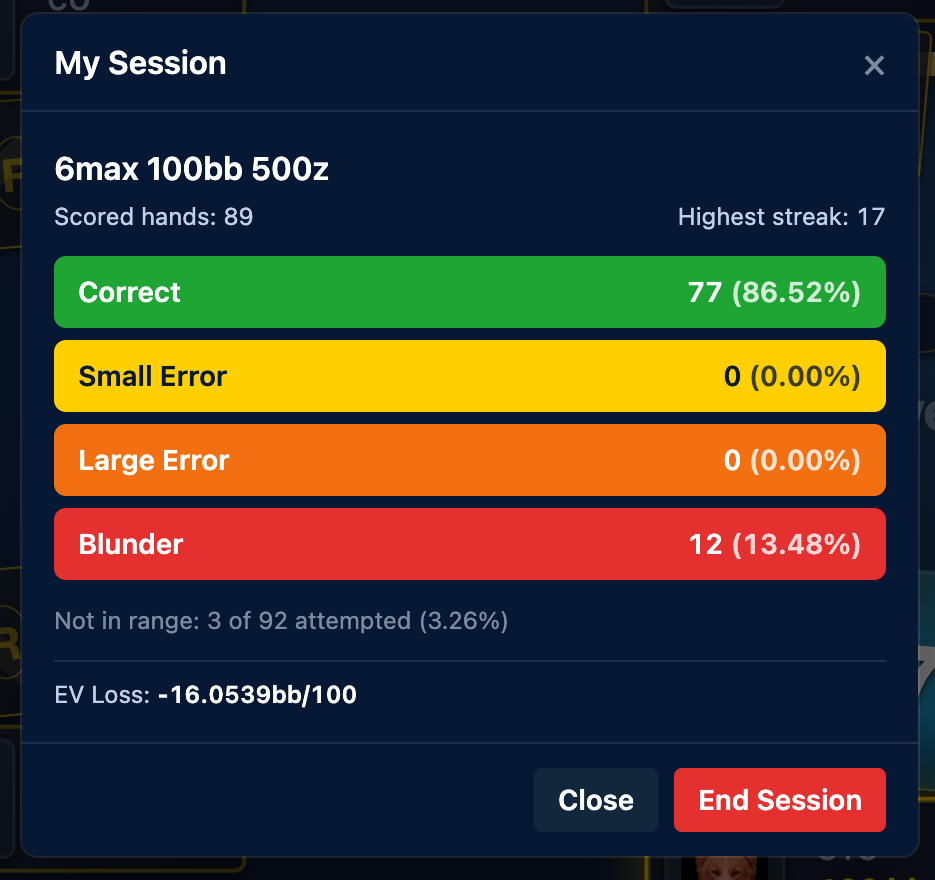
Summary, next to the score bar, opens My Session: scored hands and highest streak up top, then the full breakdown into Correct, Small Error, Large Error and Blunder with counts and percentages, plus hands that timed out or were dealt outside your filter, and your EV loss in bb per 100. Close keeps playing; End Session wraps up the run.
Short Deck and PLO
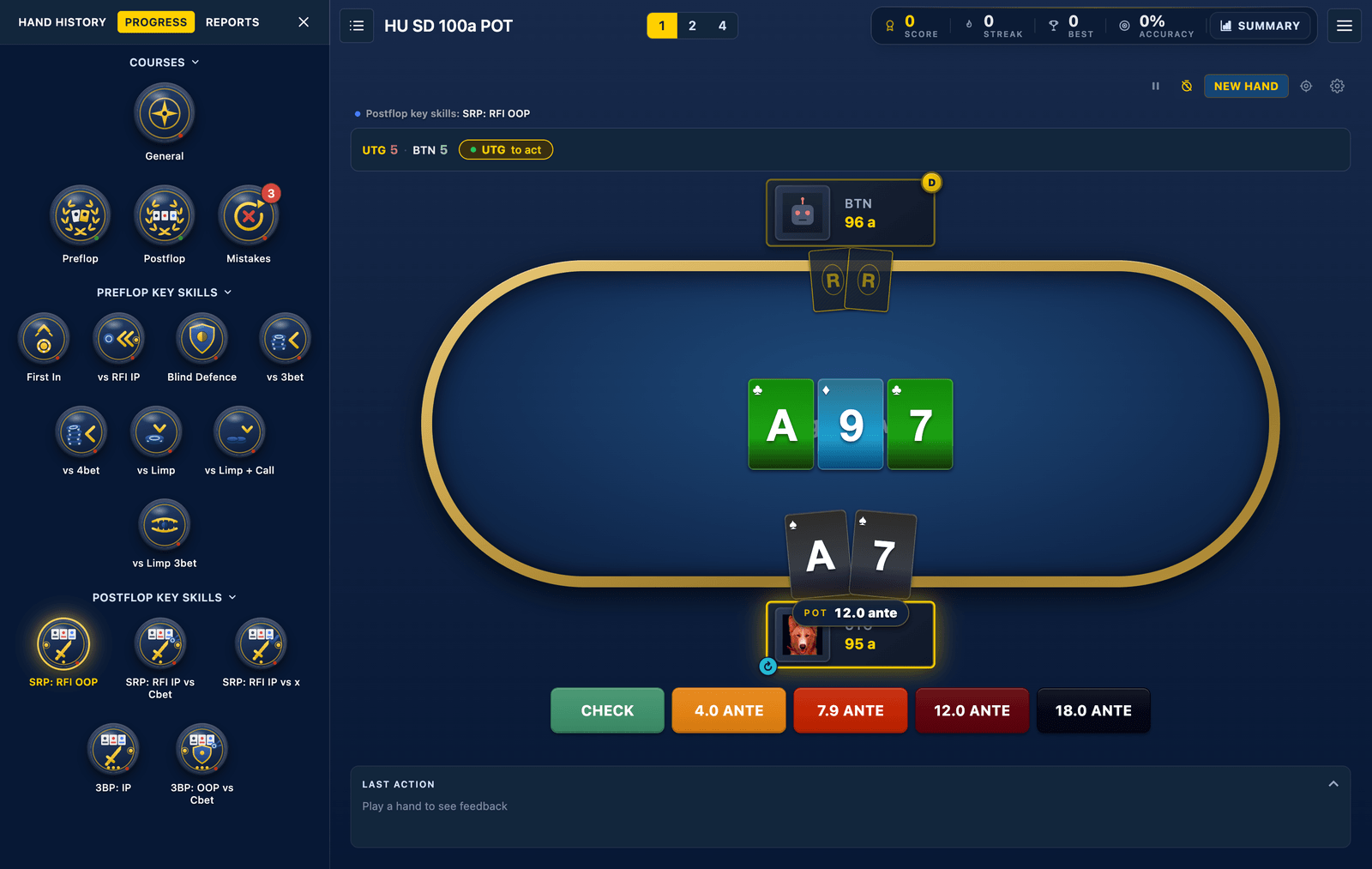
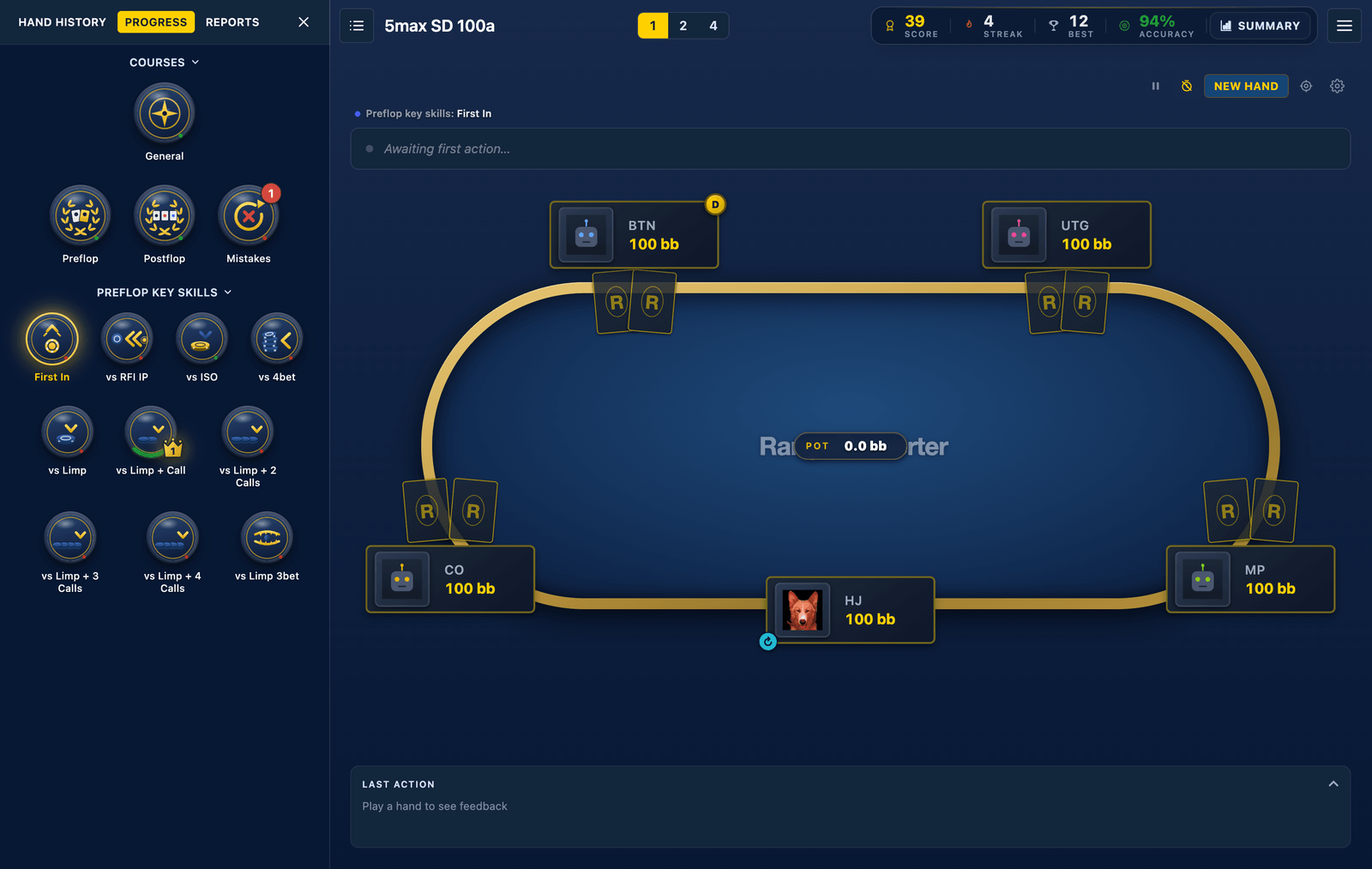
The loop is identical in every game the Trainer supports; the cards just get livelier. Short Deck sims run from heads-up to 5max with the same courses, grading and reports.
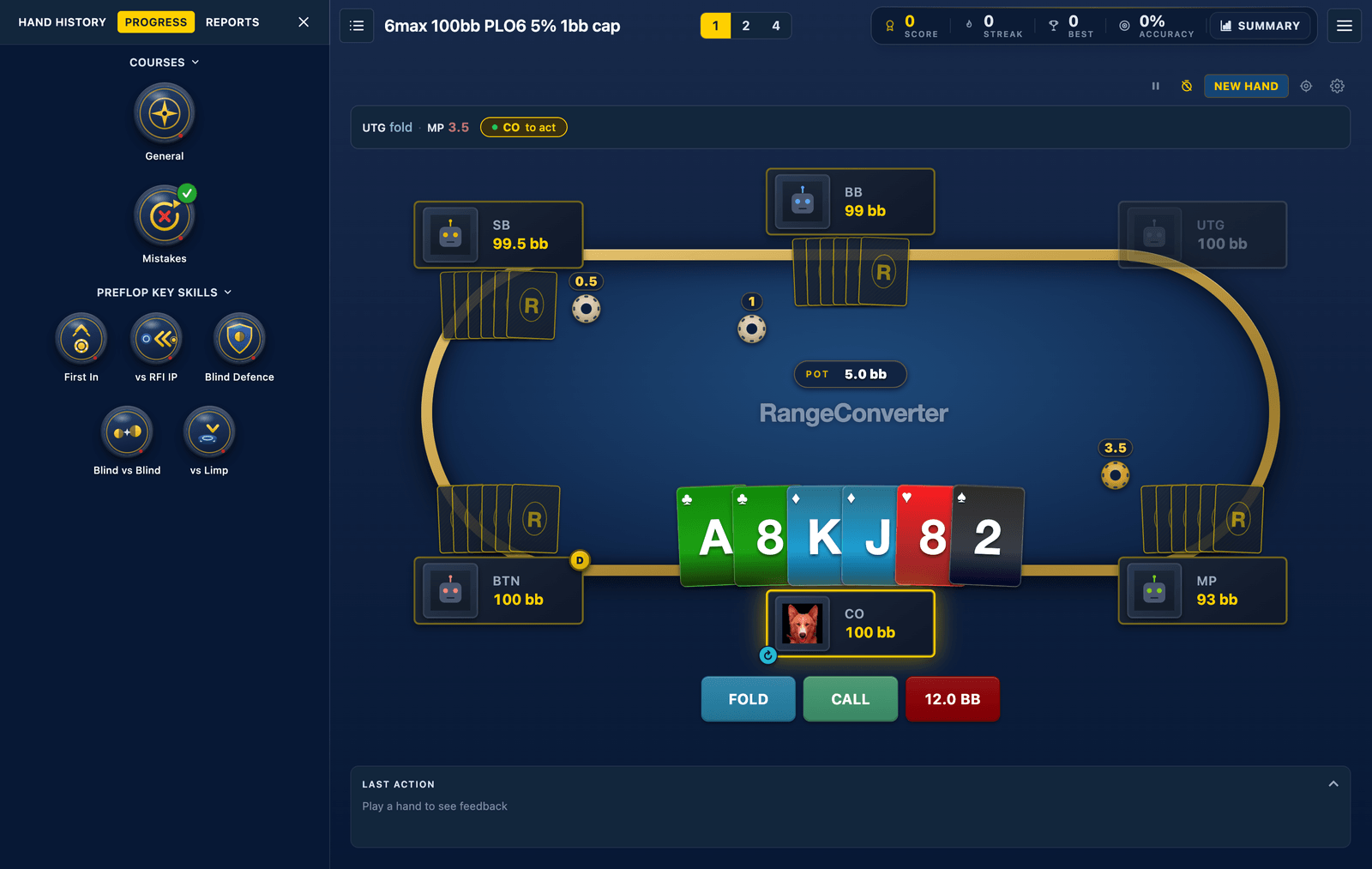
The PLO family covers PLO4, PLO5 and PLO6, four to six hole cards dealt to everyone at the table, with key skill badges and the Mistakes queue along for the ride.
Training on your phone
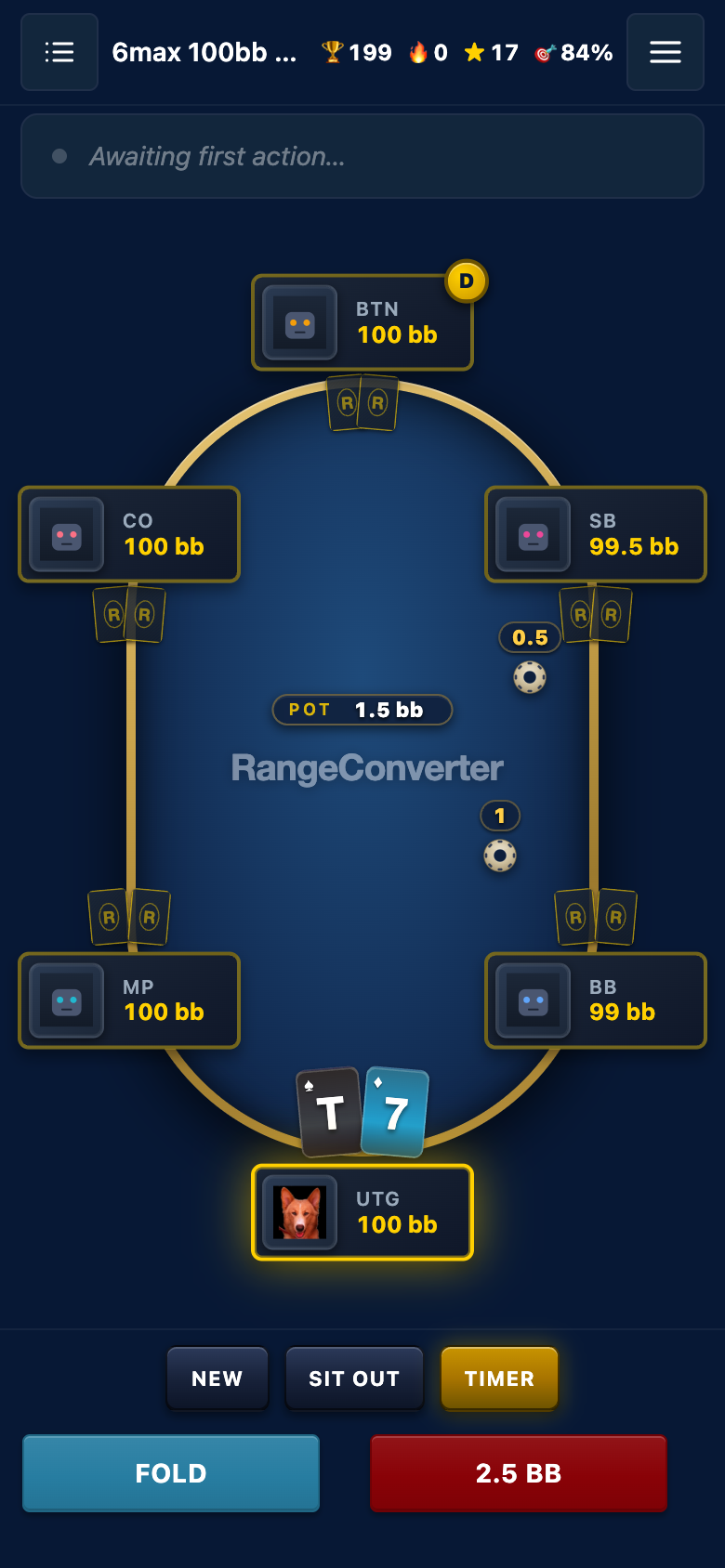
The Trainer runs in the browser, phone included. The mobile layout leads with the table and your score strip; hand history and the options slide up as sheets, with the same toggles as the desktop menu. Same grading, same queue, same progress as your desktop sessions, because it is the same account.
What's free and what isn't
Key skills marked (free) are open to every account, so you can try the Trainer without a subscription. Full course access and the complete sim library come with RangeConverter Reg for preflop or RangeConverter Pro for the full postflop online browser (for sims with postflop). If you are weighing the two, Range Reg vs Range Pro covers the difference.
Start training
Create a free account, open the lobby. Choose a sim, hit PLAY and deal the first hand. Decisions with instant grading beat passive study every time, and the Trainer keeps the receipts on whether you are actually improving.
Related reading: Online Range Viewer tutorial and What is GTO Poker Trainer and how do I know if I am making progress?
The original walkthrough of the classic controls is still available in the GTO Poker Trainer tutorial.